
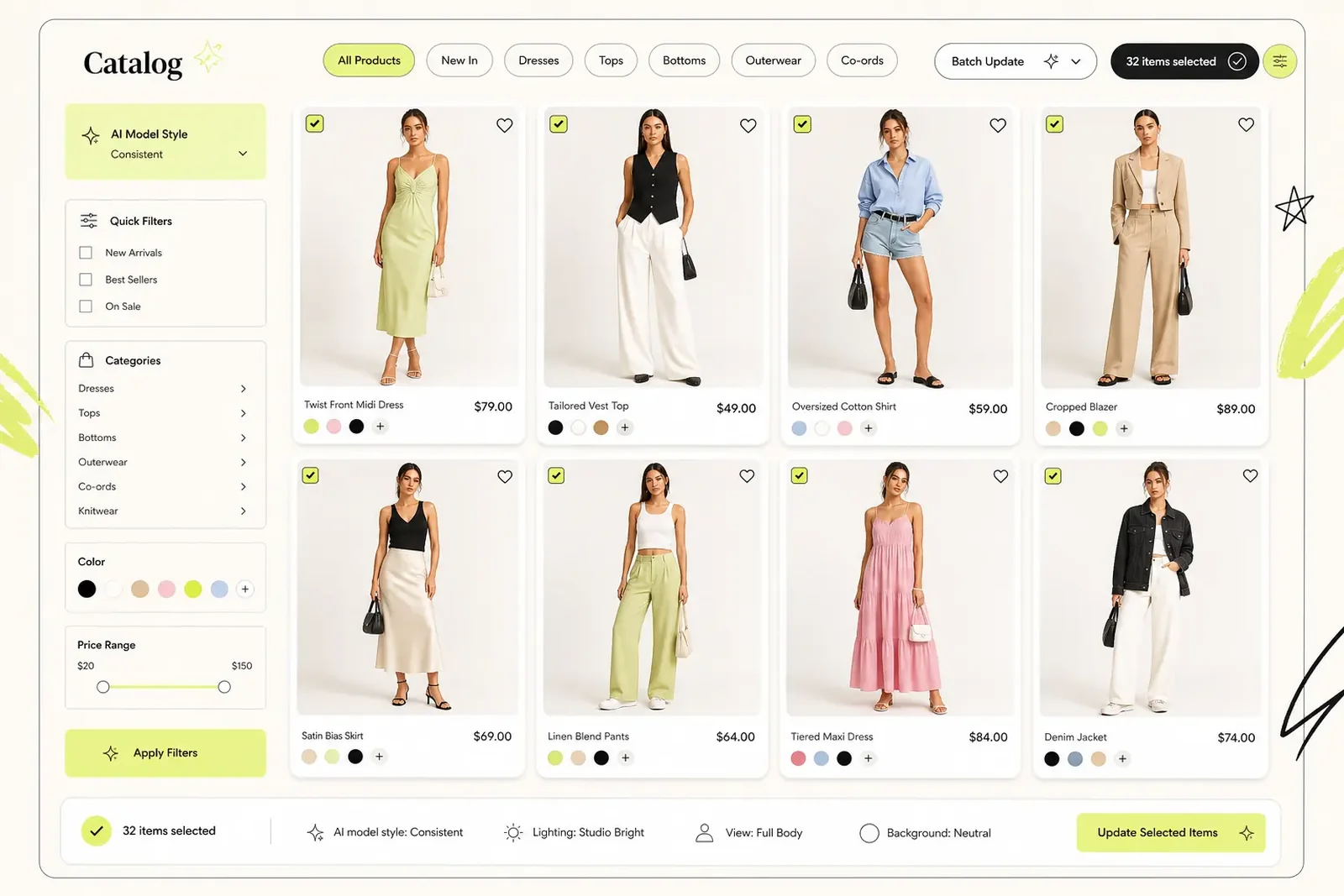
Catalog previews
Show multiple apparel items with a consistent model style for batch launches and collection planning.
Authentication is not available in local preview. Please test sign-in or email verification on the deployed site.
Seller Solution
Turn product photos into model-based outfit previews for listings, campaigns, and merchandising without waiting for a full production cycle.
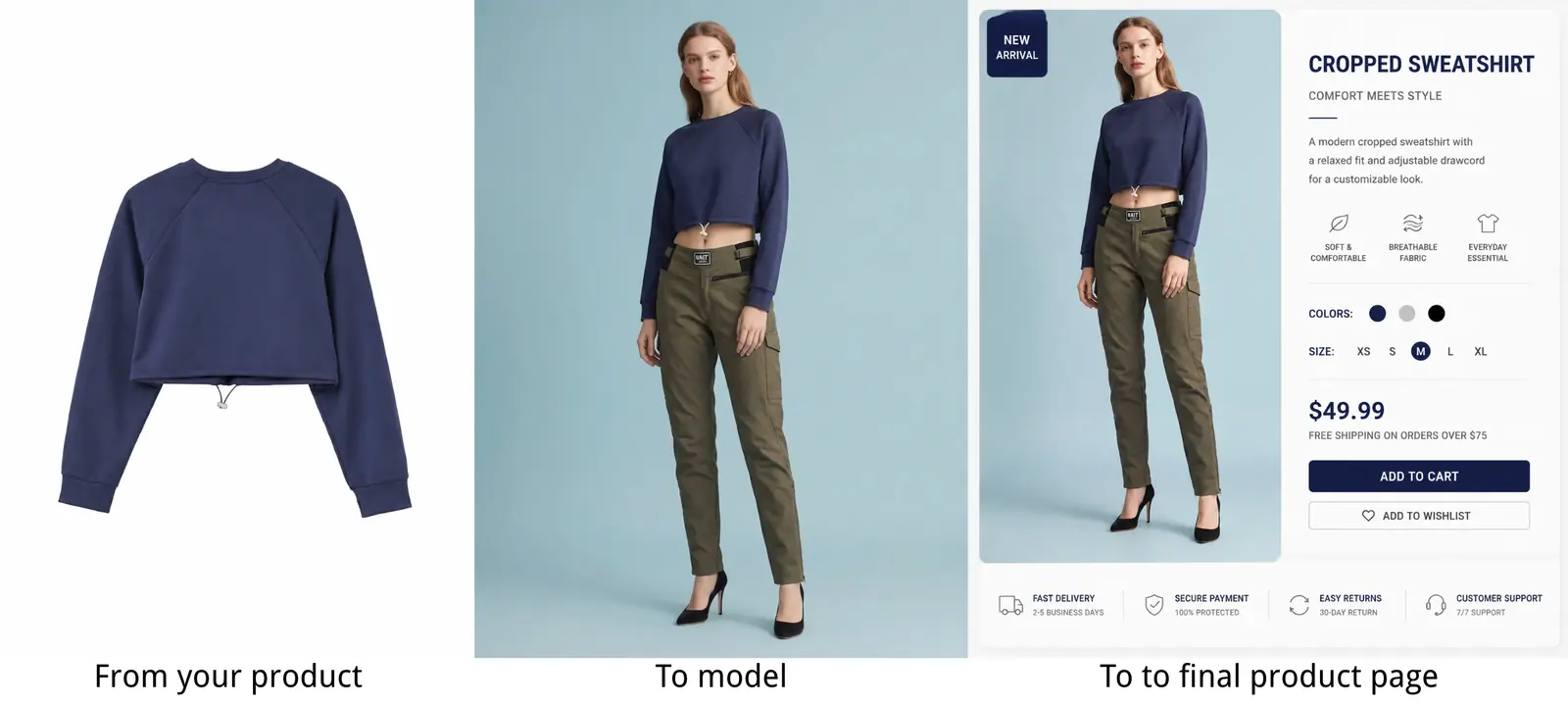
Overview
Flat clothing photos communicate the item, but model-based previews communicate the look. A virtual fitting room gives sellers a faster way to explore how products appear on people and prepare clearer visual directions.
Treat generated images as presentation and decision-support assets, not as a replacement for accurate measurements and product details.
Seller previews
Show multiple apparel items with a consistent model style for batch launches and collection planning.
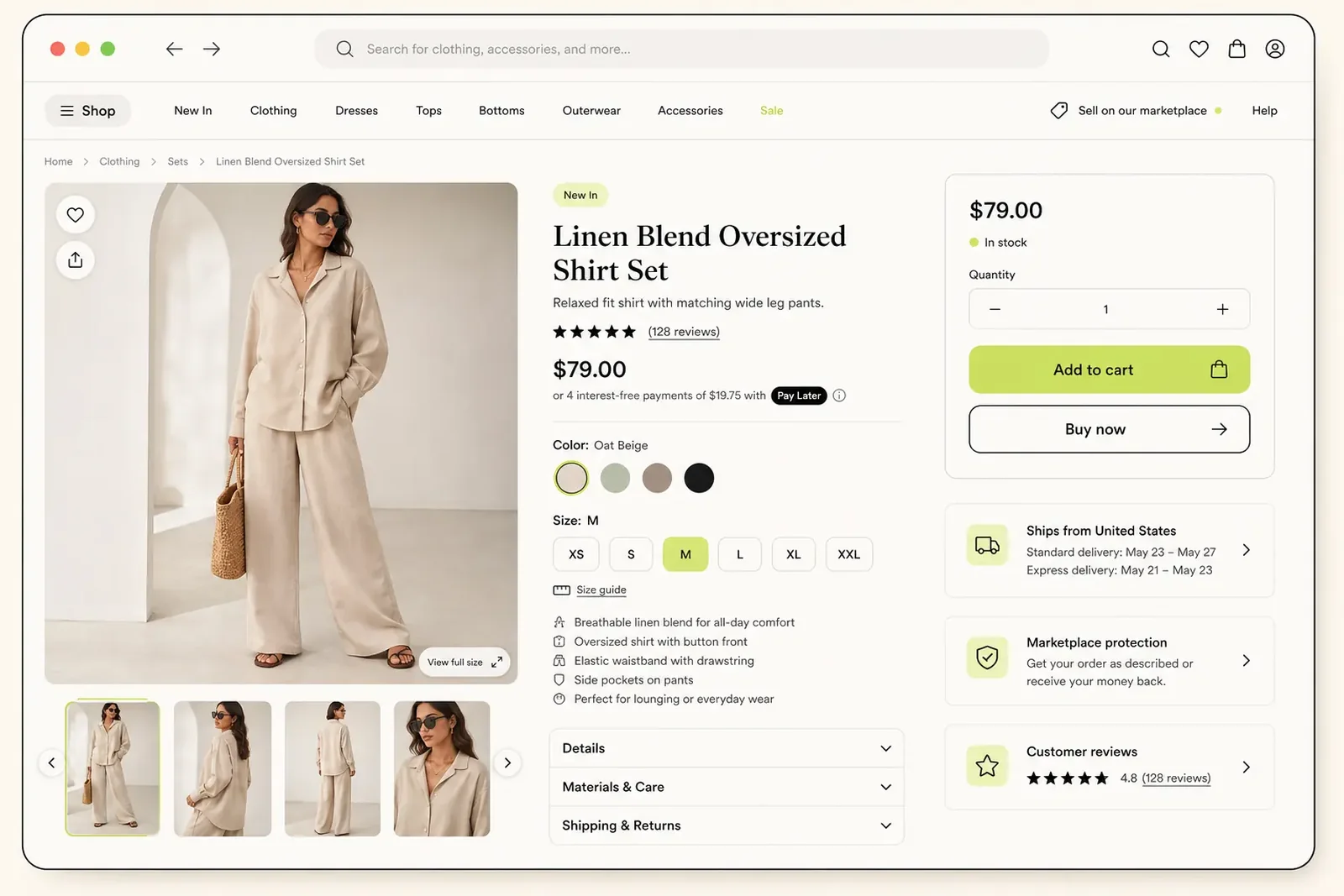
Review how a generated on-model image could support a generic marketplace product detail layout.
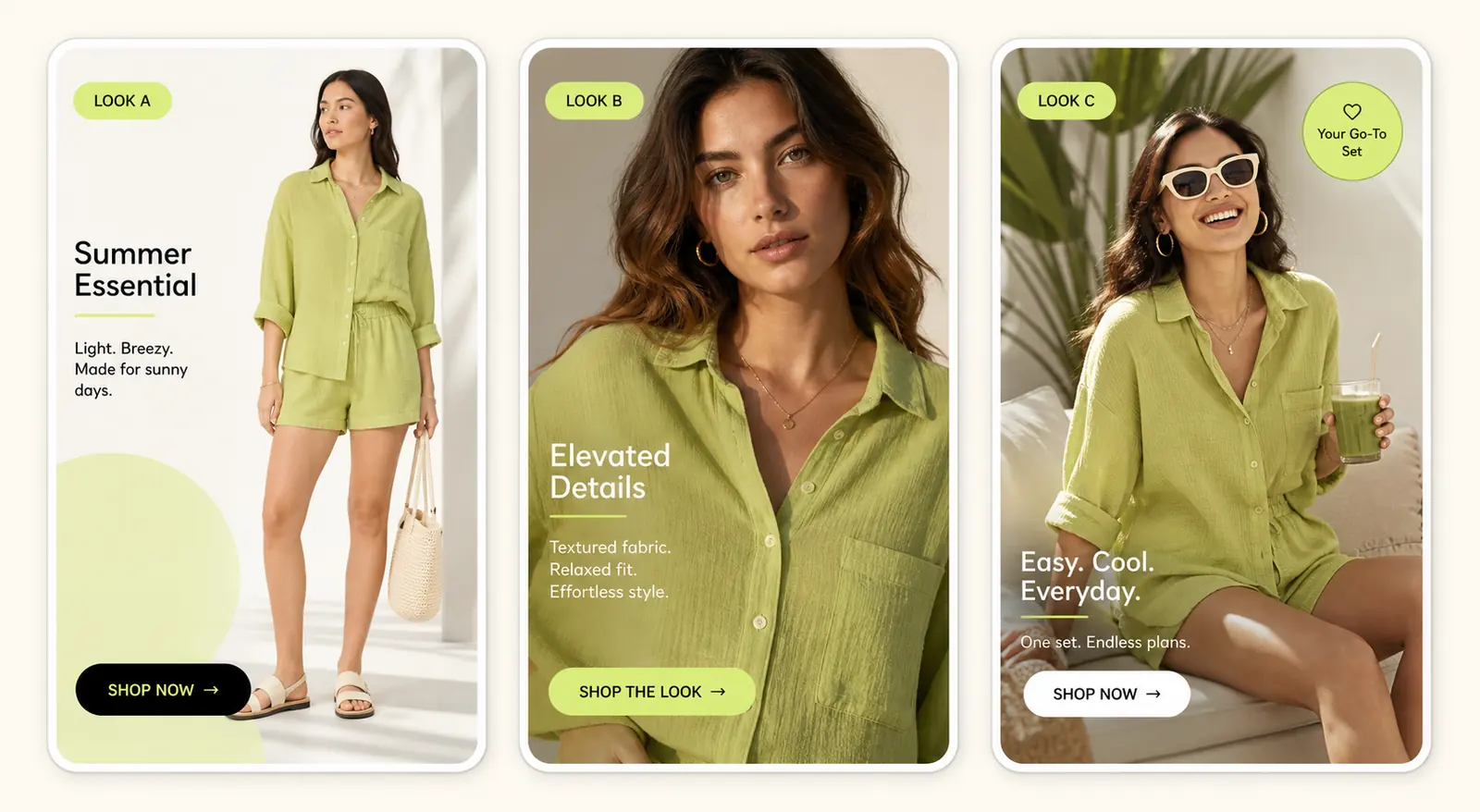
Compare different crops, models, and ad concepts before selecting the strongest campaign direction.
Real examples
Why it works
Create first-pass product and campaign visuals before booking a full shoot or requesting samples.
Preview different garments on a repeatable set of preset models or a model uploaded by your team.
Use credits when products need new previews instead of adding another fixed production workflow.
How it works
Use clean garment photos from your existing product library.
Select preset models that match the audience or upload a brand-approved model image.
Create previews, shortlist useful results, and route them into the appropriate content workflow.
Image requirements
A seller workflow becomes easier to scale when every product enters the virtual fitting room with similar image quality and review standards.
Limitations
A virtual fitting room can speed up visual exploration, but sellers still need a quality-control step before any public or paid placement.
Use cases
Explore presentation options while samples, photography, or final campaign assets are still in progress.
Add model-based context to products that currently rely on flat or mannequin photography.
Compare models and combinations before investing in the final creative execution.
FAQ
They can support listings and marketing workflows, subject to the seller's own platform rules and review standards.
It is best used to accelerate previews and expand visual options. Important hero campaigns may still benefit from traditional production.
Yes. The User Upload tab lets a seller use an appropriate model image instead of a system preset.
Start with a small product category, define an approval checklist, and compare the generated previews against real product photos before scaling.
Yes, it can support visual planning for many selling channels, but each channel has its own image and disclosure rules.
Check garment accuracy, color, pattern, model permissions, source-image rights, brand standards, and the rules of the platform where the image will appear.
Start now
Upload a garment, choose a model, and create your first AI virtual try-on in seconds.
Start Free Try-On